


Quick Answer
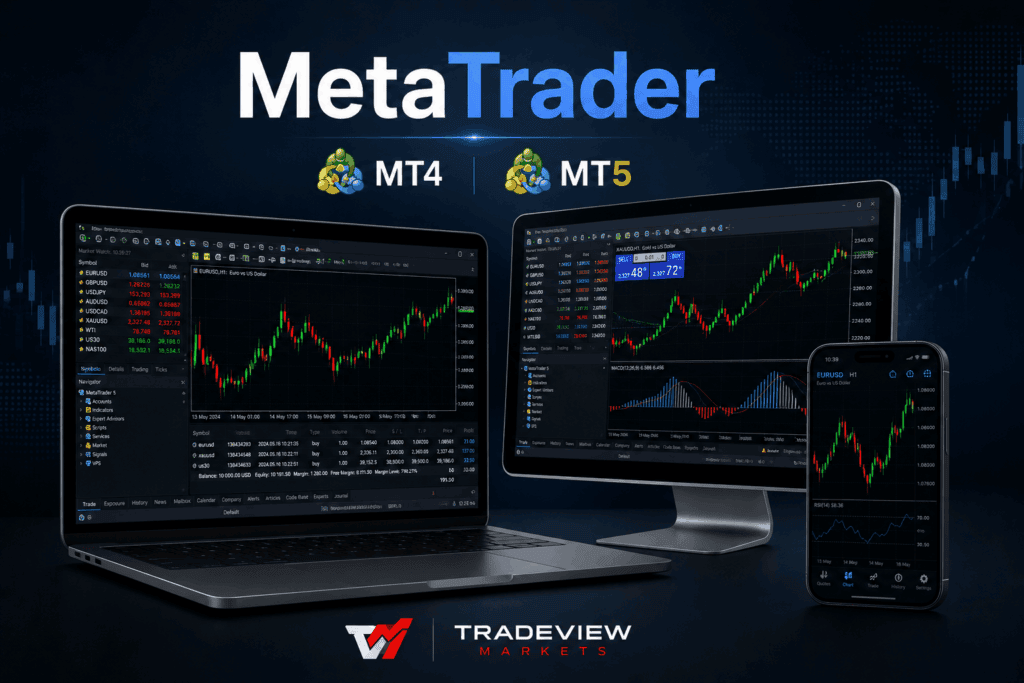
MetaTrader is the world’s most widely used retail trading platform. Developed by MetaQuotes, it allows traders to analyze markets, monitor price charts, place trades, automate strategies using Expert Advisors (EAs), and manage positions across desktop, web, and mobile devices. Today, the two versions available are MetaTrader 4 (MT4) and MetaTrader 5 (MT5). While both platforms share a familiar interface, MT4 was designed primarily for forex and CFD trading, whereas MT5 expands support to additional markets such as stocks, futures, and commodities, making it the more versatile platform for modern traders.
You’ve Probably Heard of MetaTrader. But What Is It, Really?
If you’ve spent any time researching online trading, you’ve almost certainly come across the name MetaTrader.
It’s mentioned on broker websites, recommended in YouTube tutorials, discussed in trading forums, and offered by almost every major forex broker. That naturally leads to one question:
What exactly is MetaTrader?
Many beginners assume it’s a broker, while others think it’s an exchange. Neither is correct.
MetaTrader is simply the software traders use to access financial markets. Think of it as your trading workspace. It’s where you watch live prices, analyze charts, place buy and sell orders, manage open positions, monitor your portfolio, and even automate trading strategies.
Without a trading platform, accessing global financial markets would be far more difficult. MetaTrader simplifies that process, which is one reason it has become the industry standard.
Why MetaTrader Became the World’s Most Popular Trading Platform
Technology alone didn’t make MetaTrader successful. Timing did.
When MetaTrader 4 launched in 2005, online forex trading was expanding rapidly. The problem was that every broker had its own trading software, each with a different interface and workflow. Every time traders changed brokers, they had to learn an entirely new platform.
MetaQuotes solved that problem by creating a professional trading environment that brokers could license instead of developing their own software.
For traders, the benefits were immediate:
- Learn the platform once.
- Use it with multiple brokers.
- Maintain the same workflow.
- Access familiar tools wherever you trade.
That consistency helped MetaTrader become the dominant retail trading platform worldwide.
However, one feature accelerated its growth more than anything else: Expert Advisors.
MT4 vs MT5: What’s the Difference?
This is one of the most common questions new traders ask.
At first glance, MT4 and MT5 look almost identical. They share a similar layout, many of the same charting tools, and a familiar user experience.
However, under the surface, they’re very different platforms.
MT4 was designed primarily for forex and CFD trading, while MT5 was built as a true multi-asset trading platform capable of supporting a much broader range of financial markets.
Here’s how they compare.
| Feature | MT4 | MT5 |
|---|---|---|
| Forex Trading | ✅ | ✅ |
| CFD Trading | ✅ | ✅ |
| Stocks | Limited | ✅ |
| Futures | Limited | ✅ |
| Commodities | ✅ | ✅ |
| Timeframes | 9 | 21 |
| Pending Order Types | 4 | 6 |
| Market Depth (DOM) | ❌ | ✅ |
| Economic Calendar | ❌ | ✅ |
| Strategy Tester | Single-threaded | Multi-threaded |
| Expert Advisors | MQL4 | MQL5 |
| Mobile App | ✅ | ✅ |
For many traders, either platform can provide an excellent trading experience.
The better choice depends on your goals rather than which platform is newer.
Which Platform Is Right for You?
There isn’t a single correct answer.
Instead, think about how you plan to trade.
If You’re New to Trading
MT5 is usually the better starting point.
It offers everything available in MT4 while adding support for more markets, additional order types, improved charting tools, and a faster strategy tester.
Perhaps more importantly, MetaQuotes continues to focus its development on MT5, making it the platform most brokers are investing in for the future.
If You Mainly Trade Forex
MT4 remains an outstanding choice.
Many experienced forex traders continue using it every day because it’s stable, familiar, and supported by an enormous library of Expert Advisors and custom indicators.
If your workflow already depends on MT4 tools, there may be little reason to change.
If You Trade Stocks or Futures
MT5 is the clear winner.
Unlike MT4, it was built to support exchange-traded products, making it a much better platform for traders who want access to:
- Stocks
- Futures
- Commodities
- Indices
- Multiple asset classes within one account
As more brokers expand into multi-asset trading, MT5 continues gaining popularity.
If You Use Automated Trading
Both platforms support Expert Advisors.
However, they use different programming languages.
- MT4 uses MQL4
- MT5 uses MQL5
This means an Expert Advisor created for MT4 will not automatically work on MT5.
If you’ve spent years building or purchasing MT4 EAs, that’s an important consideration before migrating.
On the other hand, traders developing new automated strategies often choose MT5 because of its faster backtesting capabilities and more advanced programming environment.
What Can You Trade on MetaTrader?
One common misconception is that MetaTrader determines which markets you can access.
It doesn’t.
Your broker determines what products are available.
MetaTrader simply provides the platform through which you access those markets.
Depending on your broker, you may be able to trade:
- Forex
- CFDs
- Stocks
- Futures
- Commodities
- Indices
At Tradeview Markets, traders can access both MT4 and MT5 while trading a wide range of global markets through a single brokerage relationship.
Whether your focus is forex, equities, commodities, or futures, the platform provides the tools needed to analyze markets and execute trades efficiently.
Is MetaTrader Free?
Yes.
Downloading MetaTrader costs nothing.
Opening a demo account also costs nothing.
The platform itself is completely free to use.
Where costs arise is through trading.
Depending on your broker, these may include:
- Spreads
- Commissions
- Overnight financing charges
- Exchange-related fees on certain products
Some third-party Expert Advisors and indicators available through the MetaTrader Marketplace are also paid products.
However, traders can begin learning the platform without paying anything by opening a demo account.
This makes MetaTrader one of the easiest trading platforms for beginners to explore before risking real capital.
Why Expert Advisors Made MetaTrader Famous
Ask experienced MetaTrader users what makes the platform unique.
Most won’t say the charts.
Or the interface.
They’ll say Expert Advisors.
An Expert Advisor (EA) is an automated trading program that runs directly inside MetaTrader.
Depending on how it’s programmed, an EA can:
- Monitor multiple markets simultaneously
- Identify trading opportunities
- Execute trades automatically
- Manage stop-loss and take-profit levels
- Close positions based on predefined rules
Some traders use EAs to automate their entire strategy.
Others simply use them to receive alerts while making trading decisions manually.
Either way, they remain one of MetaTrader’s biggest advantages.
For professional money managers, Tradeview Markets also extends these capabilities through its Multi-Account Manager (MAM) solution, allowing trades from one master account to be allocated across multiple client accounts efficiently.
Getting Started with MetaTrader
The fastest way to learn MetaTrader isn’t by reading articles.
It’s by using it.
Fortunately, you don’t need to risk real money.
Most brokers—including Tradeview Markets—offer free demo accounts that provide live market prices while using virtual funds.
Getting started is simple:
- Open a free demo account.
- Download MT4 or MT5.
- Explore the platform and learn the interface.
- Practice placing trades using virtual funds.
- Move to a live account once you’re comfortable.
A demo account allows you to experience real market conditions without financial risk, making it one of the most valuable learning tools available for new traders.
Frequently Asked Questions
What is MetaTrader?
MetaTrader is a trading platform developed by MetaQuotes that allows traders to analyze financial markets, monitor price charts, place trades, and automate trading strategies. It is one of the most widely used trading platforms for forex, CFDs, stocks, commodities, and futures.
What is the difference between MT4 and MT5?
MT4 was designed primarily for forex and CFD trading, while MT5 supports a broader range of markets, including stocks and futures. MT5 also offers more timeframes, additional order types, Market Depth (DOM), an integrated economic calendar, and a faster multi-threaded strategy tester.
Is MetaTrader free?
Yes. Both MT4 and MT5 are free to download and use. Most brokers also provide free demo accounts, allowing traders to practice without risking real money. Trading costs such as spreads, commissions, and overnight financing are determined by your broker rather than the platform itself.
Can I use MetaTrader on my phone?
Yes. MetaTrader 4 and MetaTrader 5 are available for both iOS and Android devices. The mobile apps allow traders to monitor markets, analyze charts, place trades, and manage open positions from almost anywhere.
What are Expert Advisors (EAs)?
Expert Advisors are automated trading programs that run inside MetaTrader. They can monitor markets, generate trading signals, execute trades automatically, and manage positions according to predefined rules. MT4 uses the MQL4 programming language, while MT5 uses MQL5.
Can I trade stocks using MetaTrader?
Yes—but it depends on the platform and your broker.
MT5 was built to support stocks, futures, commodities, and other exchange-traded products. MT4 is primarily designed for forex and CFD trading, although some brokers may offer equity CFDs through the platform.
Do I need a broker to use MetaTrader?
Yes.
MetaTrader is the trading platform, but it doesn’t provide direct market access. To trade live markets, you’ll need to connect the platform to a brokerage account.
Tradeview Markets offers both MT4 and MT5, giving traders access to global markets through a single trading account.
How do I install custom indicators?
MetaTrader includes dozens of built-in technical indicators that can be added directly from the platform.
To install custom indicators, simply download the indicator file and place it in MetaTrader’s Indicators folder. After restarting the platform, the indicator will appear in your Navigator window and can be applied to any chart.
Final Thoughts
MetaTrader has earned its reputation for a reason.
It combines powerful charting tools, flexible order management, automated trading, and broad broker support into a platform that millions of traders trust every day.
Whether you’re opening your very first demo account or managing multiple trading strategies across global markets, MetaTrader provides the tools needed to trade with confidence.
The decision between MT4 and MT5 ultimately comes down to your trading style.
If your focus is primarily forex and CFDs, MT4 remains a reliable and proven platform.
However, if you’re looking for access to stocks, futures, commodities, and more advanced functionality, MT5 offers the flexibility and scalability that modern traders increasingly expect.
The good news?
You don’t have to choose blindly.
The best way to understand both platforms is to experience them yourself.
Open a free demo account, explore the features, practice placing trades, and discover which platform feels most natural for the way you trade.