
For over a decade, the retail trading world was dominated by a single piece of software that looked like it was built in the Windows 98 era. It was reliable, simple, and everyone used it. But as markets evolved, traders began demanding more than just currencies. They wanted stocks, futures, and cryptocurrencies, all under one roof. They wanted speed that matched institutional desks and testing capabilities that didn’t take a week to run.
This shift has led to the mass migration toward the successor: MetaTrader 5 (MT5). It is no longer just an “upgrade”; it is the new baseline for serious speculation. However, the software is only as good as the engine driving it. Finding the right brokers for metatrader 5 is the critical step that determines whether you are driving a Ferrari on a racetrack or in a traffic jam.
The platform is the interface, but the broker is the connection. The quality of your data feed, the speed of your execution, and the depth of your liquidity all depend on who you choose to partner with.
Understanding the Upgrade
Before diving into the brokerage landscape, we need to clarify exactly what is metatrader 5. Many assume it is just “MetaTrader 4 with a new coat of paint.” That is a dangerous misconception.
MT5 was rewritten from the ground up. While its predecessor was designed purely for decentralized forex markets, MT5 was engineered to plug into centralized exchanges. This means it can natively handle the complexity of the New York Stock Exchange or the Chicago Mercantile Exchange.
“MetaTrader 5 is not just a forex platform; it is a multi-asset workhorse designed to handle the rigorous demands of centralized exchange trading and algorithmic complexity.”
It introduces a 64-bit architecture, which allows it to utilize more of your computer’s memory (RAM) for faster calculations. This is vital for running complex algorithms or backtesting strategies over decades of data. It also expands your analytical view, offering 21 different timeframes (compared to the standard 9) and a built-in Depth of Market (DOM) ladder to see liquidity layers.
The Search for the Perfect Host
When you are scouting for brokers for metatrader 5, you aren’t just looking for low spreads. You are looking for infrastructure that can handle the platform’s capabilities. A broker running MT5 on a weak server defeats the purpose of the software.
You need to look for three specific technical markers:
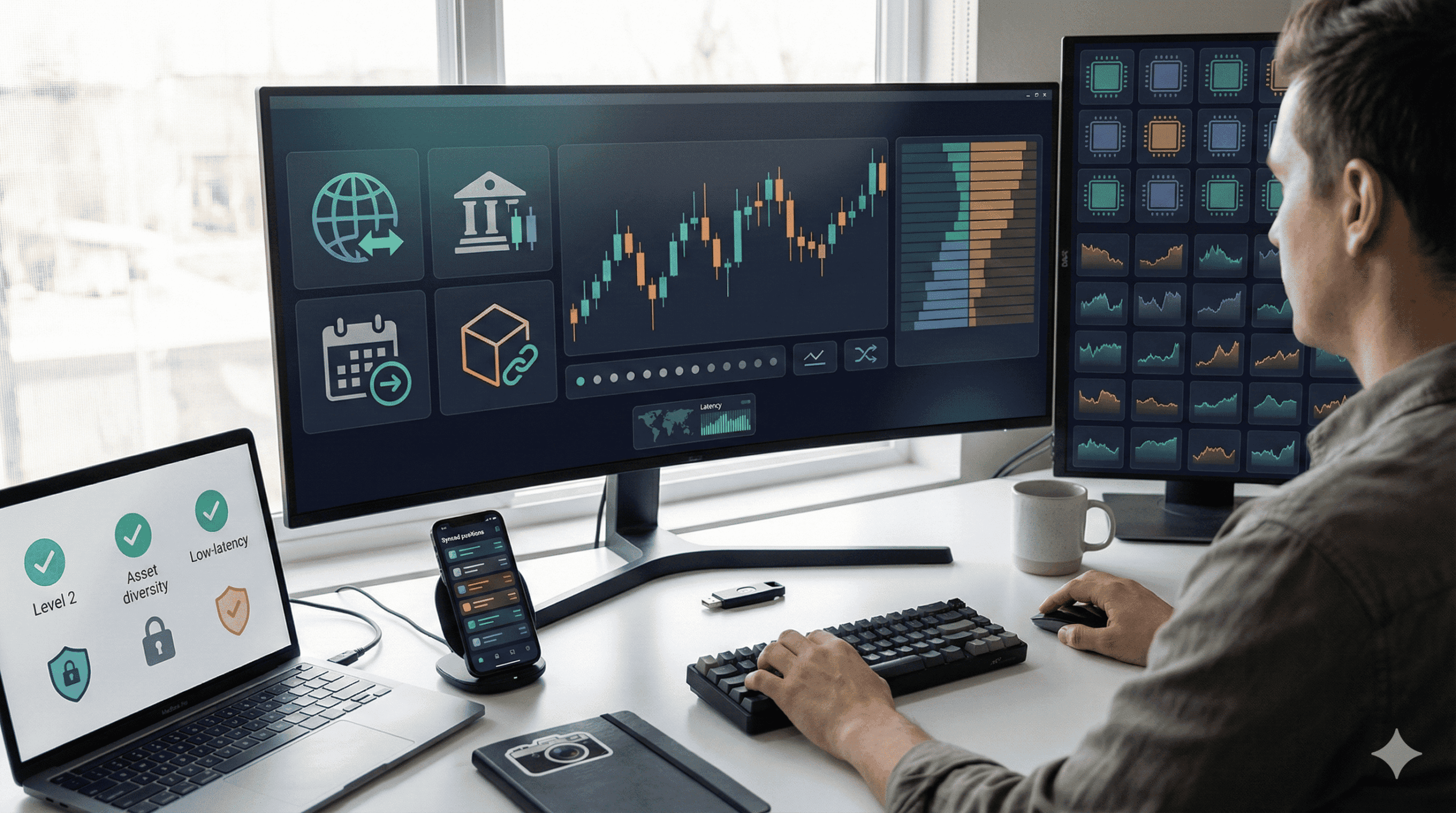
- Market Depth Integration: Does the broker provide Level 2 pricing? MT5 has a “Depth of Market” window. If your broker is a standard market maker, this window will be empty. If they are a true ECN (Electronic Communication Network) broker, you will see a live ladder of buy and sell orders.
- Asset Diversity: Since MT5 is built for multi-asset trading, your broker should offer more than just EUR/USD. The best partners offer thousands of tickers, including single-stock CFDs (like Apple or Tesla) and commodities, all tradeable from the same margin account.
- Execution Speed: MT5 is faster than its predecessor. You need a broker with servers located in major financial hubs (like NY4 in New York or LD4 in London) to ensure that the software’s speed isn’t wasted by internet lag.
The Netting vs. Hedging Dilemma
One of the most distinct features of this ecosystem is the accounting system. When you set up your account, you will often face a choice that confuses new traders: Netting or Hedging?
- Hedging Mode: This is what most forex traders are used to. If you buy 1 lot of Gold, and then sell 1 lot of Gold, you have two open positions running simultaneously.
- Netting Mode: This is the standard for stock exchanges. If you buy 1 lot of Gold, and then sell 1 lot of Gold, the system simply closes your position. You are “flat.”
Top-tier brokers for metatrader 5 will often give you the choice, but it is essential to check this before funding. If you rely on complex hedging strategies (like “locking in” a loss without closing it), being forced into a Netting account will break your strategy.
Getting Started: The Setup
The learning curve can be steep if you are coming from simpler apps. Here is a quick breakdown of how to use metatrader 5 to get your first order into the market.
1. Connection and Login Once you download the terminal from your broker’s site, you need to add their specific server. Go to File > Open an Account and type your broker’s name. It will ping their server. Enter your login ID and password. If the connection icon in the bottom right turns green, you are live.
2. The Market Watch The “Market Watch” window on the left is your dashboard. By default, it might hide many symbols. Right-click anywhere in this window and select “Show All.” This forces the platform to request every available ticker from the broker, revealing the full list of stocks and indices you can trade.
3. Execution To place a trade, you can hit F9 to open the Order Ticket.
- Type: Select “Market Execution” for instant entry or “Pending Order” to set a limit price.
- Volume: This is your size in lots. Be careful here; 1 lot of Forex is different from 1 lot of Apple stock. Always check the “Specification” of the contract.
4. The Toolbox The bottom window is your “Toolbox.” The “Trade” tab shows your running money. The “History” tab shows your past performance. But the hidden gem is the “Company” tab (if your broker supports it), which often streams direct support chats or margin warnings.
Algorithmic Dominance: MQL5
The main reason professional traders migrate to this platform is the coding language, MQL5. It is significantly faster and more efficient than the old version.
For the strategy developer, the “Strategy Tester” in MT5 is a revolution. It allows for “multi-threaded” backtesting. This means if your computer has 8 CPU cores, MT5 will use all of them to crunch data 8 times faster. It also allows for “real ticks” testing, which simulates the market with near-perfect accuracy rather than just estimating price movements.
When choosing brokers for metatrader 5, ask if they provide “tick data” history. Without quality historical data from the broker, even the best strategy tester is useless.
The Mobile Ecosystem
The modern trader is rarely sitting at a desk for 12 hours. The MT5 mobile app is robust, allowing you to monitor positions and modify orders on the fly. Crucially, the best brokers ensure that your desktop and mobile terminals stay perfectly synced.
If you draw a trendline on your desktop, it won’t appear on your mobile (as charts are local), but your trade levels and pending orders will. This reliability is key when managing risk during high-impact news events like Non-Farm Payrolls.
The Future is Multi-Asset
The days of having one broker for forex, another for stocks, and a third for crypto are ending. The efficiency of having a single margin pool covers all your positions is too great to ignore.
By selecting the right infrastructure, you are future-proofing your trading business. You are moving away from the limitations of legacy software and stepping into an environment where the only limit is your own strategy. If you are ready to audit your current setup and find the partners that can truly support your volume and asset needs, our team can help you benchmark the best options available.
Frequently Asked Questions
1. Is MetaTrader 5 free to use?
Yes, the software itself is free to download on desktop and mobile. However, brokers for metatrader 5 may charge commissions on trades or spreads (the difference between buy and sell prices) as their fee for the service.
2. Can I use my MetaTrader 4 account on MetaTrader 5?
No. The two platforms use completely different coding architectures. You cannot log in to MT5 with an MT4 account number. You must ask your broker to open a specific MT5 sub-account for you.
3. Why is MetaTrader 5 faster than MetaTrader 4?
MT5 is a 64-bit, multi-threaded application, while MT4 is a 32-bit, single-threaded application. This allows MT5 to process much larger amounts of data (like depth of market and complex scripts) without freezing or lagging.
4. Does MT5 support hedging?
Yes, but it depends on the broker and the account type. Originally, MT5 only supported “Netting” (where opposing trades cancel each other out). However, due to trader demand, most modern brokers now offer a “Hedging” mode on MT5 that functions exactly like MT4.
5. How do I install custom indicators on MT5?
To install tools, go to File > Open Data Folder in the platform. Navigate to the MQL5 > Indicators folder and paste your custom file there. Restart the platform, and you will find it in the Navigator panel under “Indicators.”
6. What assets can I trade on MT5?
Unlike MT4, which was primarily for forex and CFDs, MT5 supports stocks, futures, options, bonds, and cryptocurrencies. However, the specific list of assets depends entirely on what your broker chooses to offer.